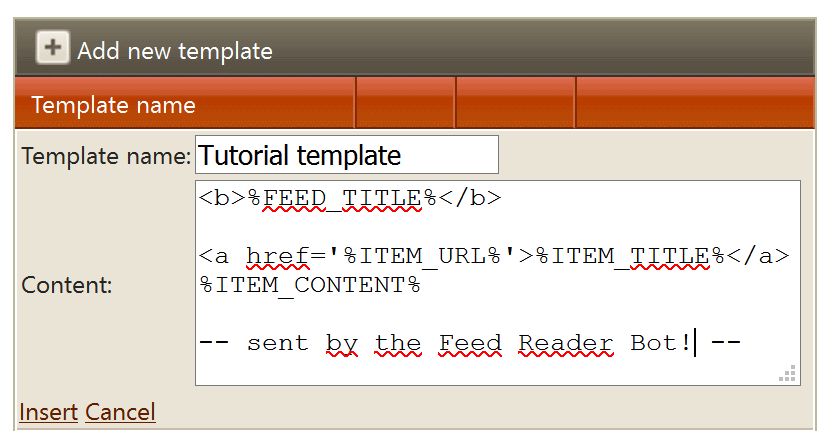
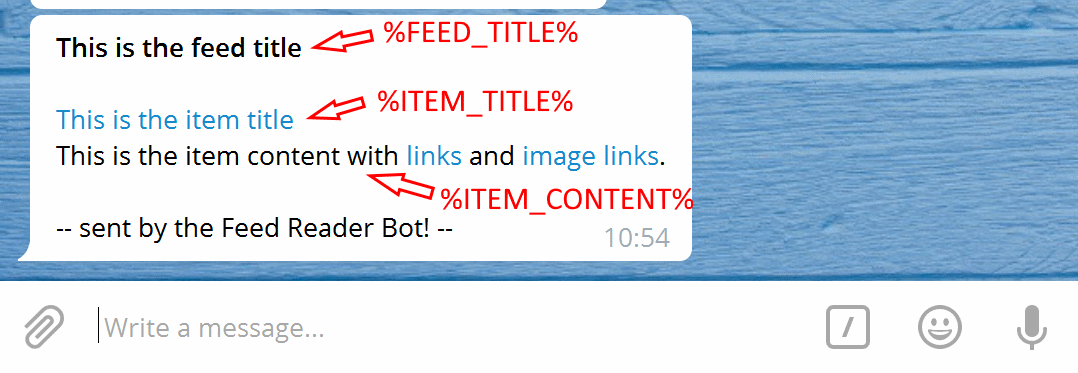
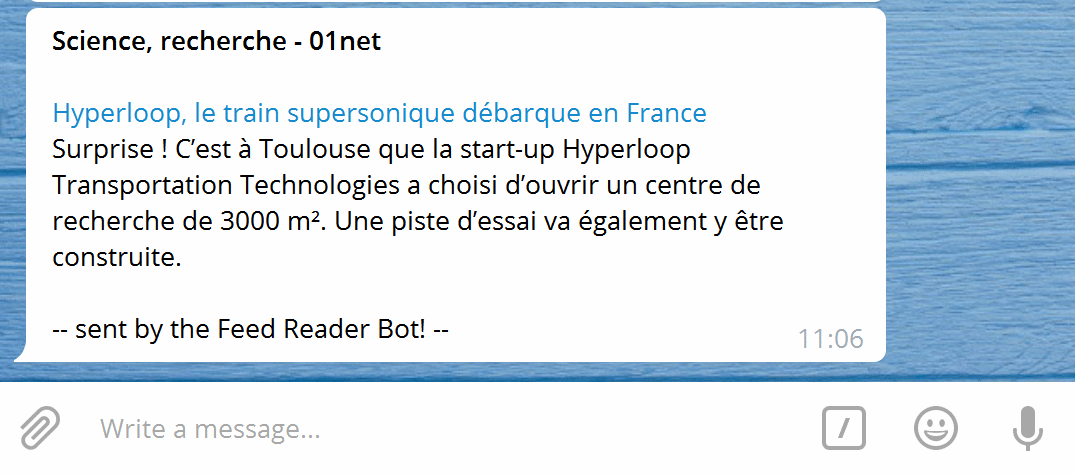
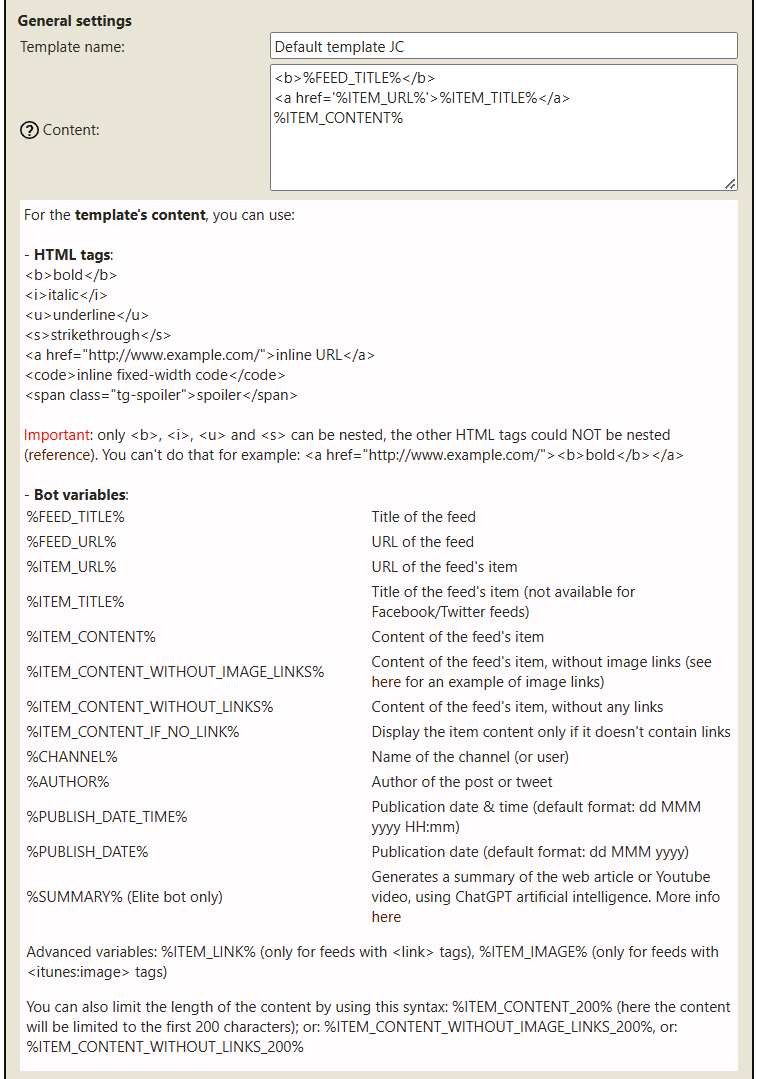
The content entered in this screenshot formats the message this way:
Feed title in bold using <b></b> HTML tags.
Line break.
Item title as a clickable link using the item URL.
Item content.
Line break.
Static text: -- sent by the Feed Reader Bot! --
Test
Send a test message
Save the template, then click Send test message to check if it is correctly formatted. You should receive a test message in Telegram.
Bot variables like %FEED_TITLE%, %ITEM_CONTENT% and others are replaced with their matching values.
Send a test message.Check the Telegram result.
Apply
Apply the template to a feed
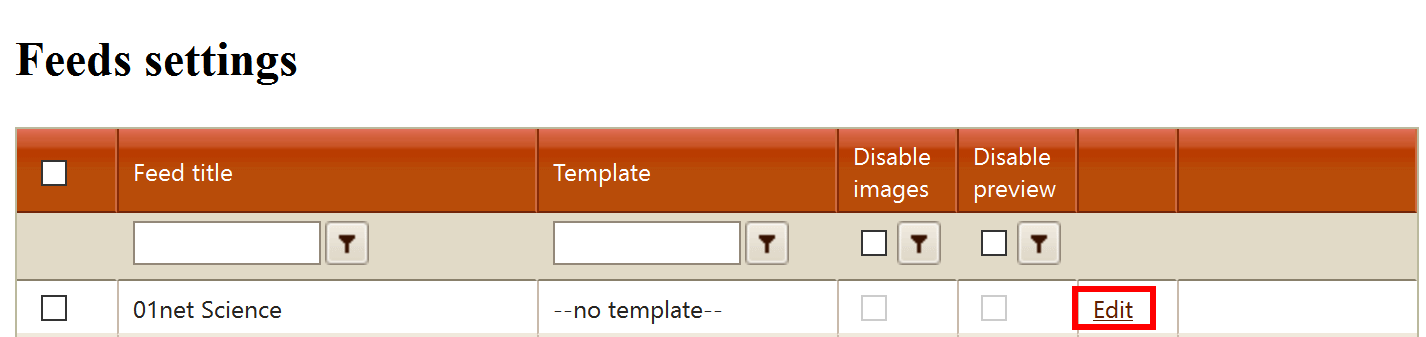
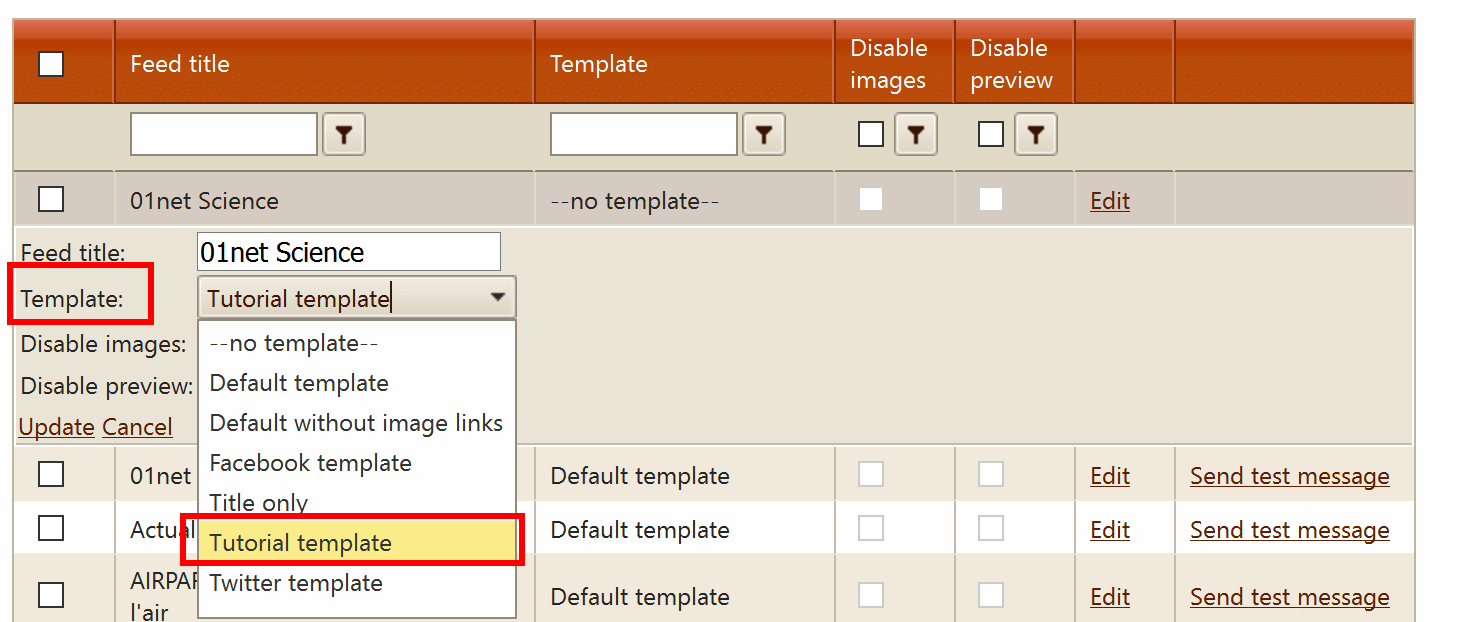
Once the template is correct, assign it to a feed, then test again by clicking Send test message.
Select the feed.Apply the template.Send another test.Confirm the final result.
Rich Messages
Show articles inside a message
Telegram Rich Messages support inline images and formatting such as collapsible sections. You can use
them to show an article below the feed title and item link, with the main image at the top when its
URL is supported.
Enable Rich Messages for the feed
Create or edit a template, then assign it to the feed.
In the feed settings, check Use Rich Messages. Leave Use
caption and Use albums unchecked.
Save the feed settings and use the feed's Send test message action to see the
result in Telegram.
Enable Rich Messages for this feed; disable captions and albums.
Add a collapsible article to the template
Place an article variable inside <details>. The <summary> text
stays visible; readers can expand the article when they want to read it.
<b>%FEED_TITLE%</b>
<a href="%ITEM_URL%">%ITEM_TITLE%</a>

<details><summary>Article</summary>%ARTICLE_CLEAN%</details>

<i>sent by @TheFeedReaderBot - <a href="https://tfrbot.com">tfrbot.com</a></i>
Paste the example into the template's Content field and adapt it to your feed.
Choose the article variable
%ARTICLE_CLEAN% downloads the article and uses AI to remove ads, navigation,
sharing prompts and other unrelated text. It is available on the Elite bot and consumes AI
tokens; a long article can use a significant part of the daily allowance. You can configure your
own ChatGPT API key.
%ARTICLE_CONTENT% extracts the article without AI, using SmartReader when possible.
It is also available on the Elite bot. It does not consume AI tokens, but may leave extra text
from the page. Replace %ARTICLE_CLEAN% in the example with this variable if you
prefer that approach.
The article must be accessible to the bot. If the website blocks downloads or no
usable content is found, the full article may not appear. Rich Message formatting is documented in
the Telegram Bot API.
The article opens below the main image and item title.Feeds with images in their item content can display them within the message.
Template settings
All settings you can change
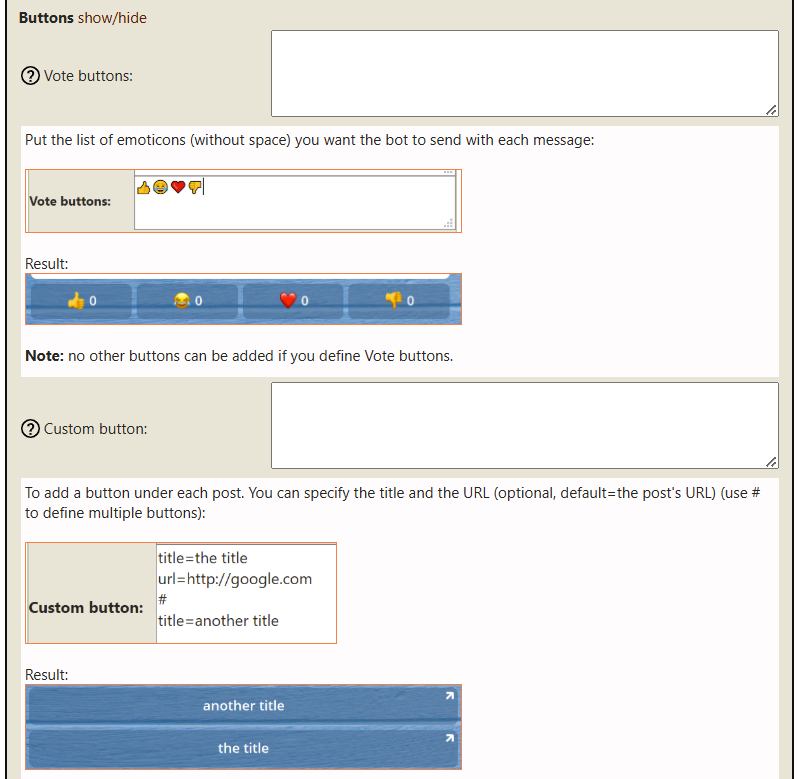
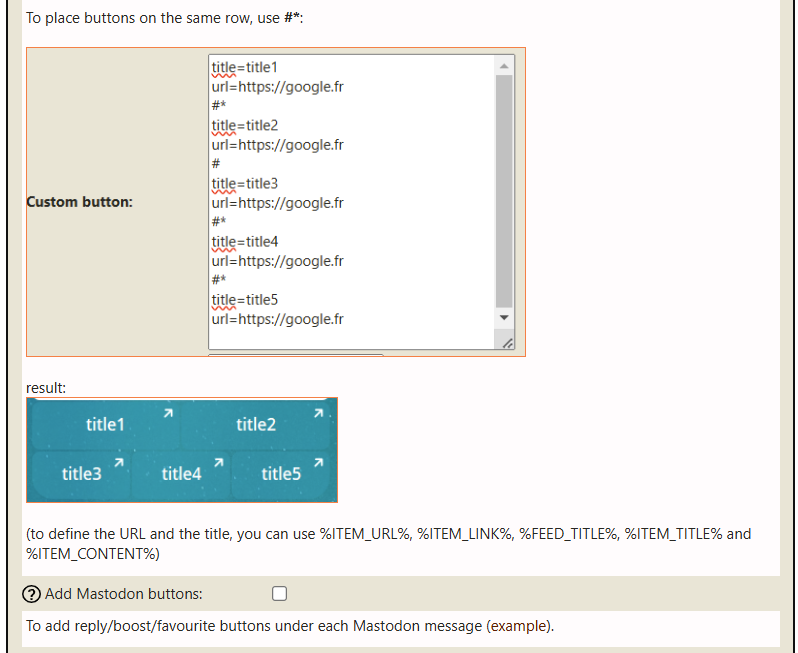
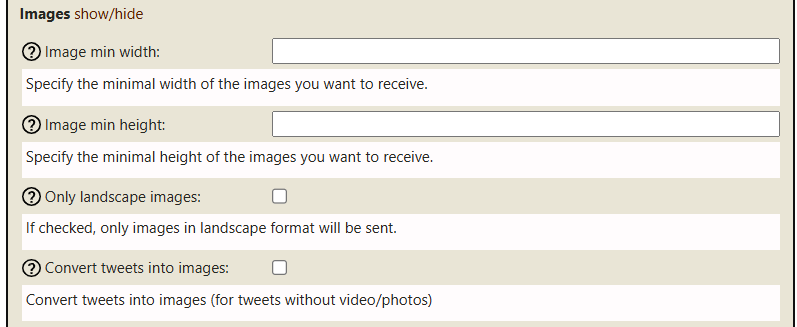
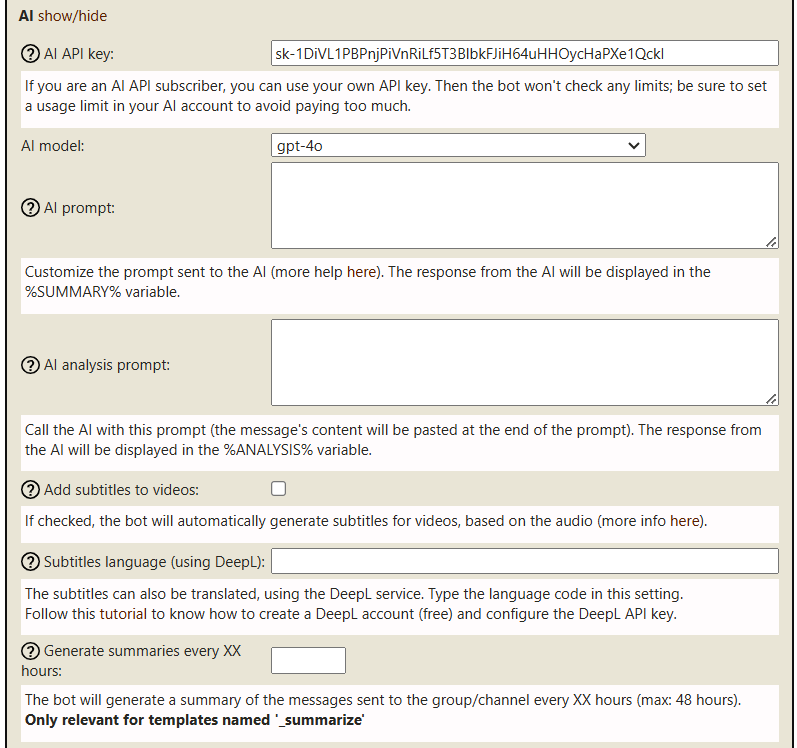
The template editor contains several sections. Use them to control formatting, replacements, filters, buttons, images and AI behavior.
General settings
General settings
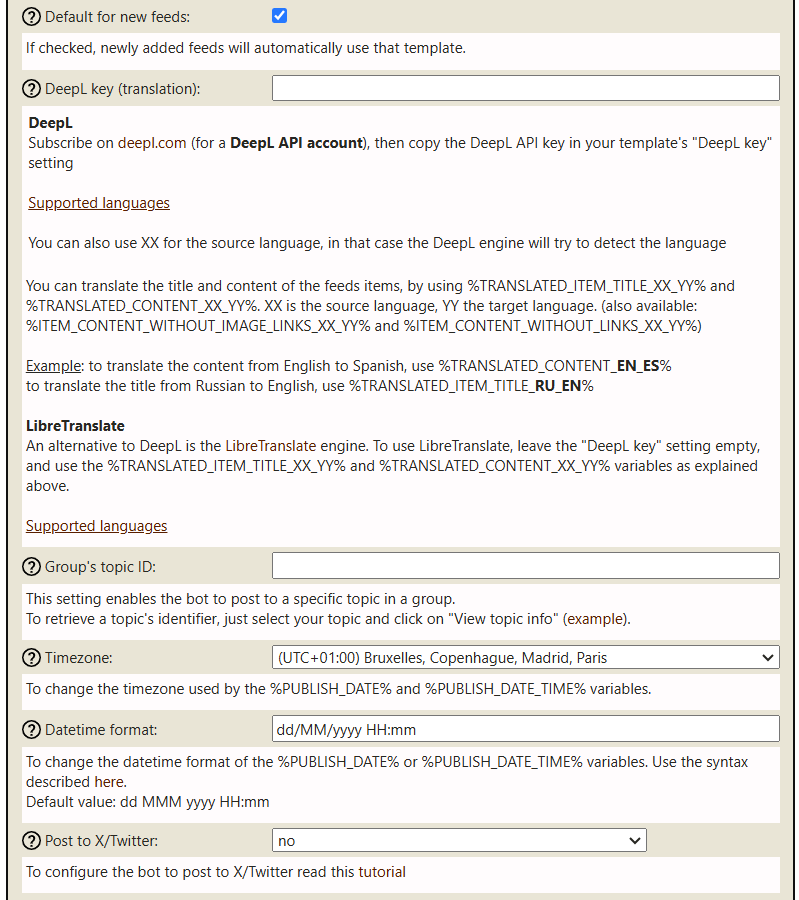
General settings, part 1.General settings, part 2.
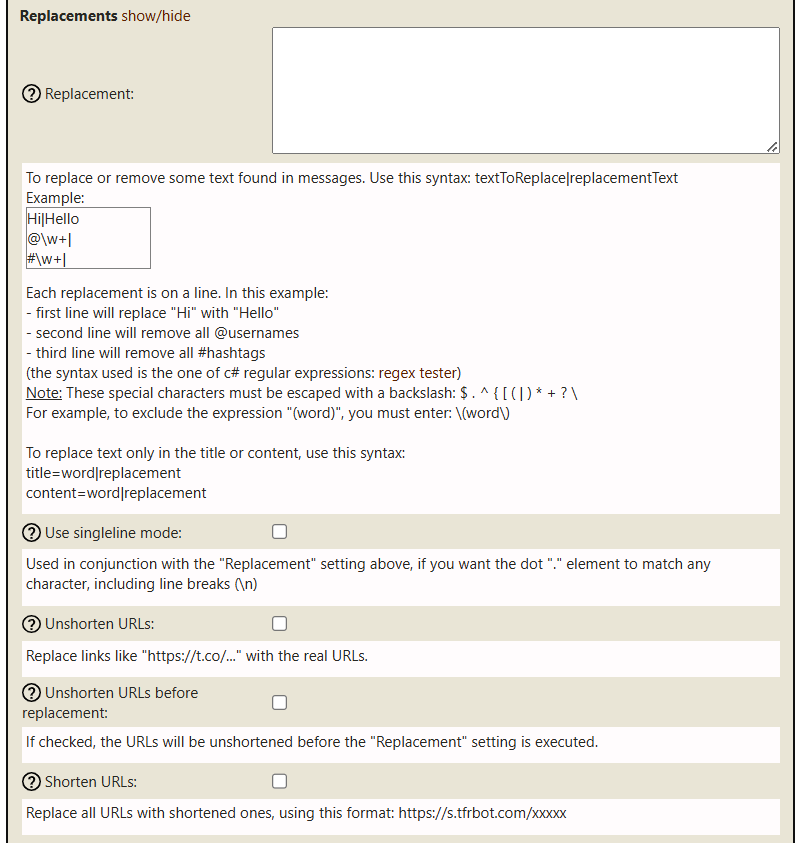
Replacement
Replacement
Replacement settings.
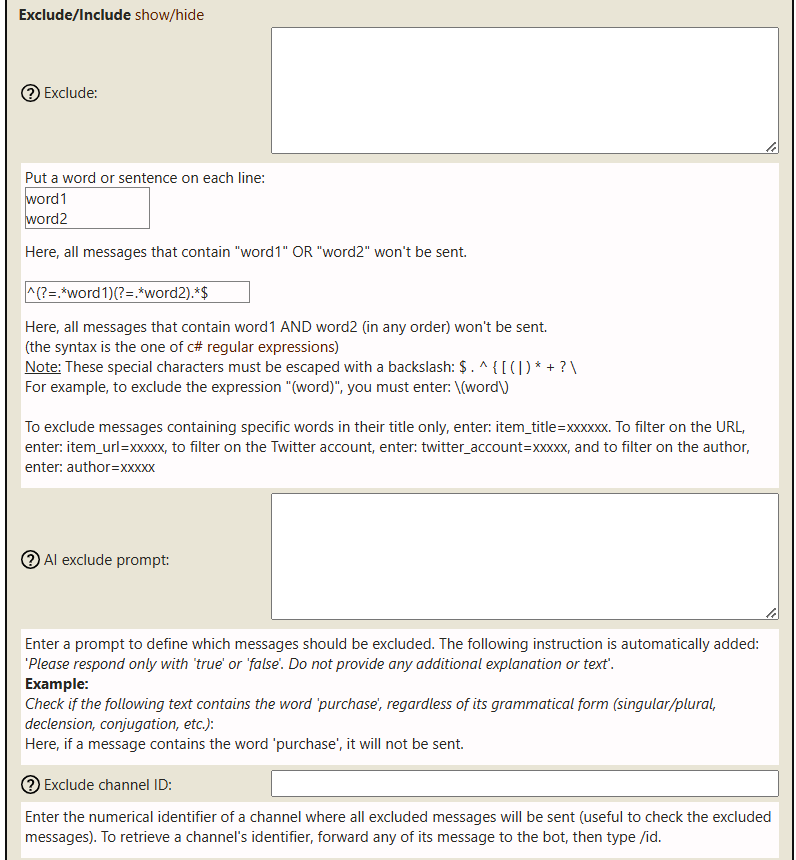
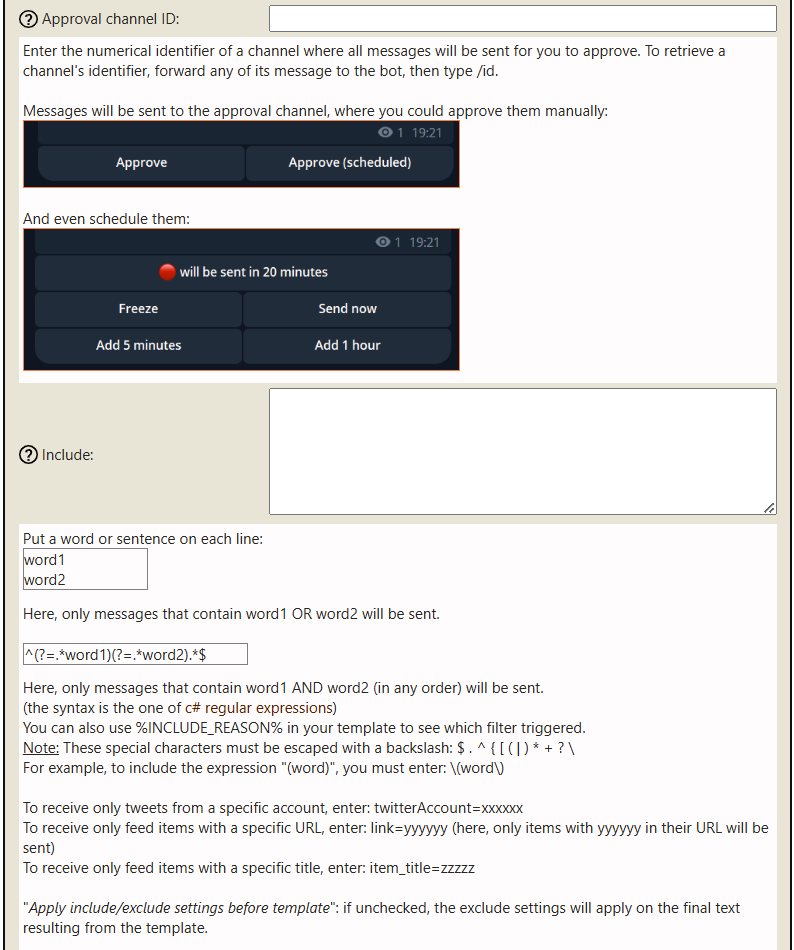
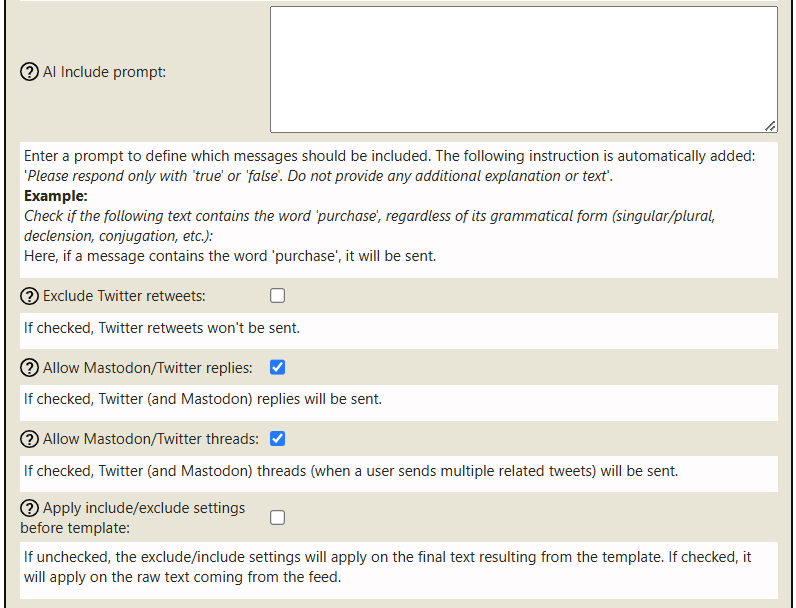
Exclude / Include
Exclude and include rules
Exclude / include, part 1.Exclude / include, part 2.Exclude / include, part 3.
Buttons
Buttons
Buttons, part 1.Buttons, part 2.
Images
Images
Image settings.
AI
AI
AI settings.
Need help?
If you have any trouble configuring templates, contact @jcmag on Telegram.